Patch note: bulk trading, three-tap filters, a minigame dashboard and real character images
- 15 new features
- 2 changes
Your cards for trade, in bulk3
- NewCollection
A “For trade” mode
Tap ⇄ next to the Forge, tick as many cards as you like, then “Put up for trade” or “Take off trade”. No more opening each card one by one.
My collection - NewTrades
Manage it all from your lists
In “My lists”, the “Manage in the collection” button opens your cards for trade, ready to take off or add to.
My lists - NewTrades
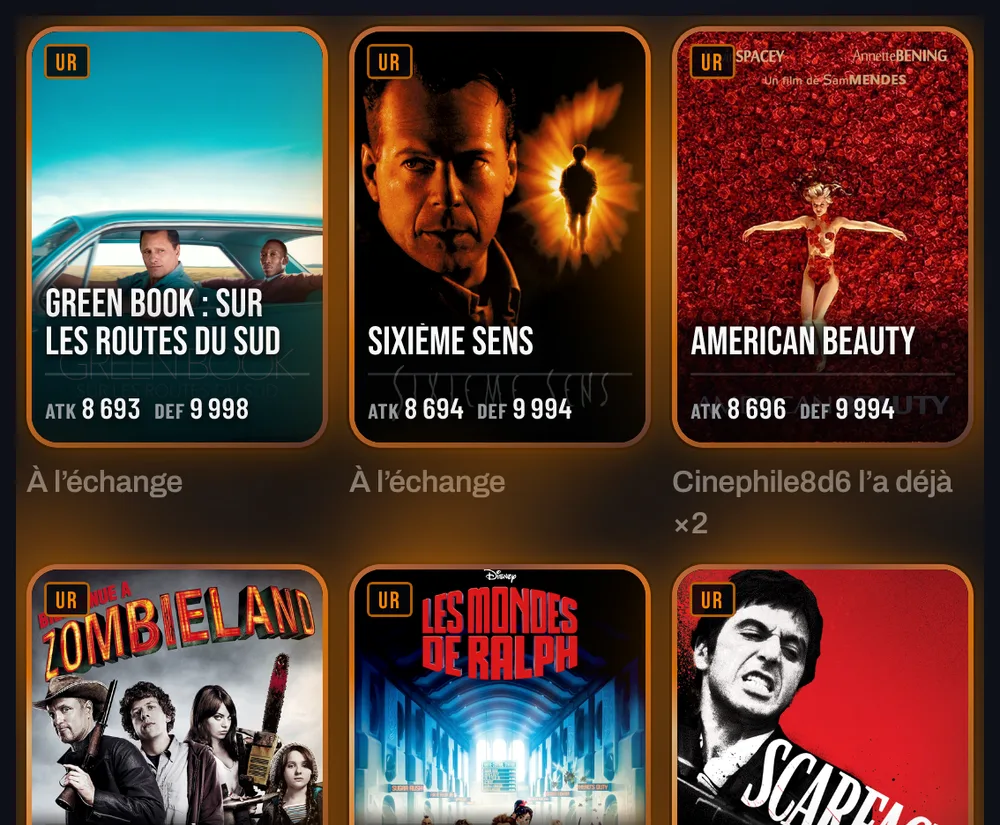
“Already has it”
When you offer a trade, the cards the other player already owns say so: “Cinephile already has it ×2”. Offer what they’re missing instead.
Filters in three taps4
- NewCollection
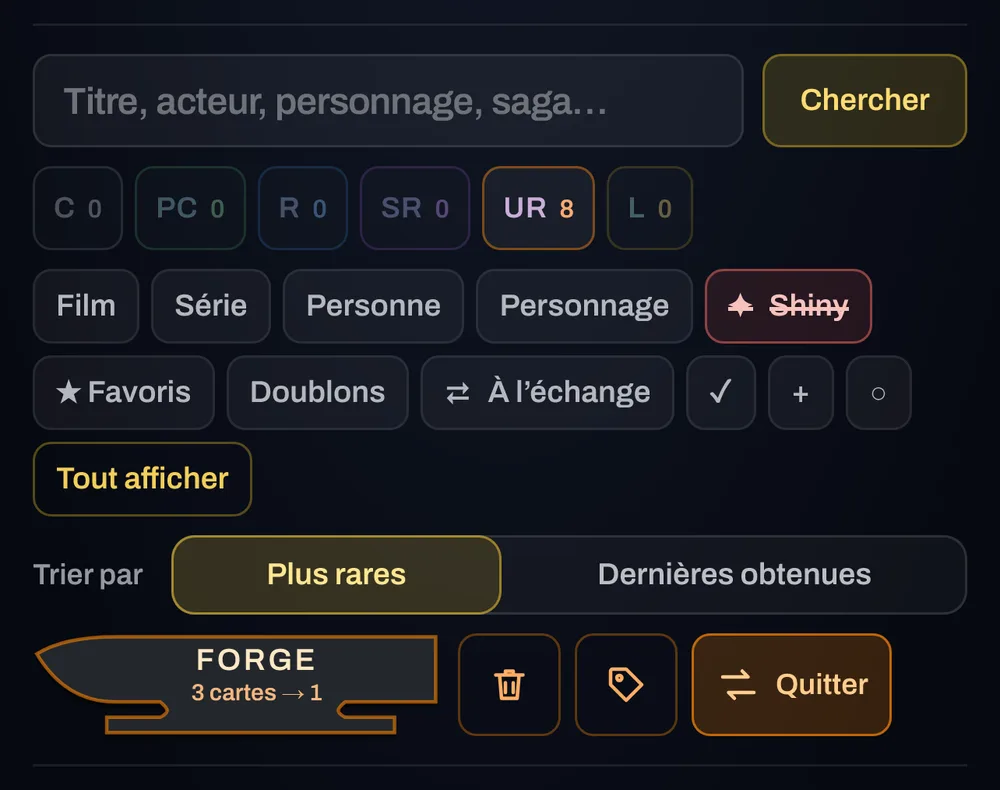
1 tap: only
Shiny, Favourites, Duplicates and For trade: one tap shows only those cards, as before.
- NewCollection
2 taps: without
Tap again: the filter turns red and struck through, and those cards disappear. “Without shiny”, “without favourites”: perfect before a forge or a discard.
- NewCollection
3 taps: no filter
A third tap turns it off. “Without” filters combine: without favourites AND without shiny, for example.
- NewCollection
Everything fits on screen
On phones, filters wrap onto two lines instead of scrolling, and Discard, Sort and For trade become icons. The active mode shows “Leave”.
The forge tells you why3
- NewForge and discard
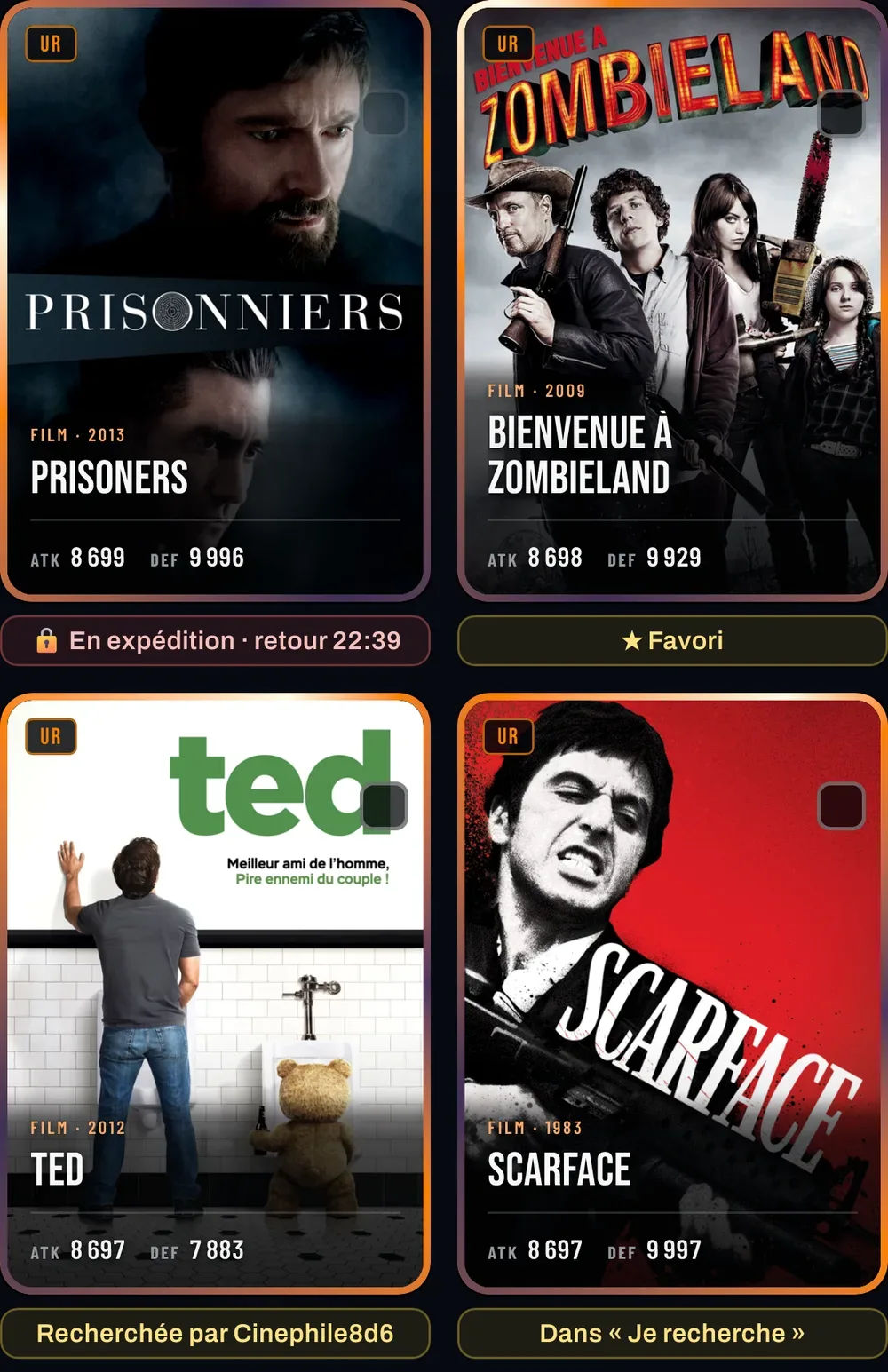
A label under each card
No more mysterious 🚫: “On an expedition · back at 22:39”, “For sale”, “Offered in a trade”. And what’s worth keeping: “★ Favourite”, “Wanted by a friend” or someone in your clan, “In Looking for”.
- NewCollection
“Rarest first”, for real
Within the same rarity, the best-known cards come first, the shiny before the regular one.
- NewForge
Smoother selection
Ticking lots of cards at once is lighter: card effects are frozen while you choose, the reveal keeps all its show.
Minigames as a dashboard2
- NewMinigames
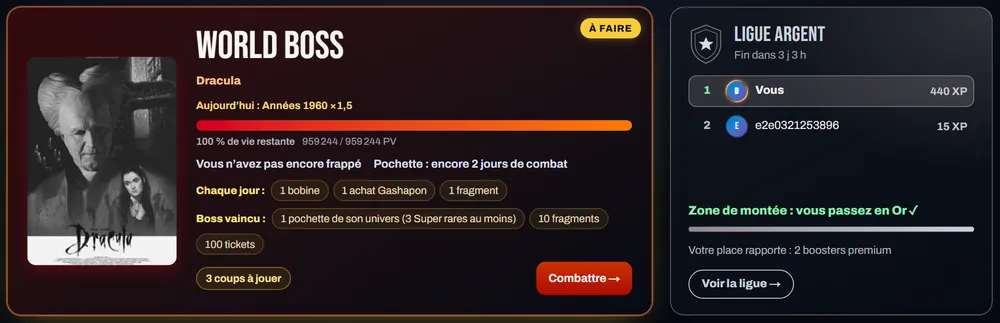
What’s left to do stands out
Each game shows where you stand (teams back, Legendary of the day, Movie Club score) with a “To do” or “✓ Done” badge. The Boss shows your damage and your pouch status.
 Minigames
 - NewMinigames
Your league at a glance
On large screens, next to the Boss: your place, your neighbours in the ranking, the XP you need to move up and what your place earns.
Albums and characters3
- NewCards
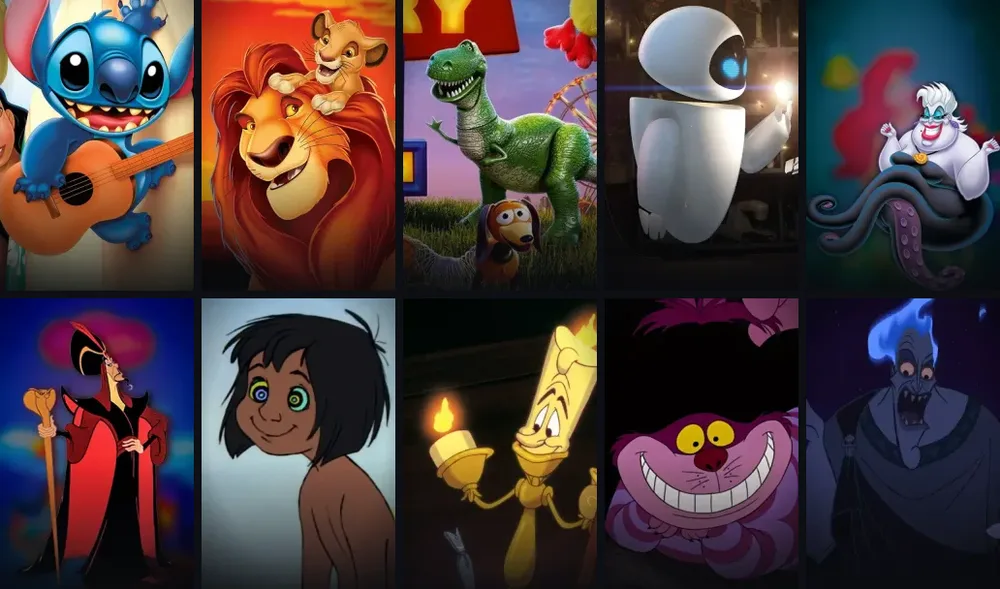
Real character images
86 Disney, Pixar and DreamWorks characters showed the movie poster. They now have their real image: Stitch, Mufasa, Rex, EVE, Ursula, Jafar, Lumière… More to come.
- NewAlbums
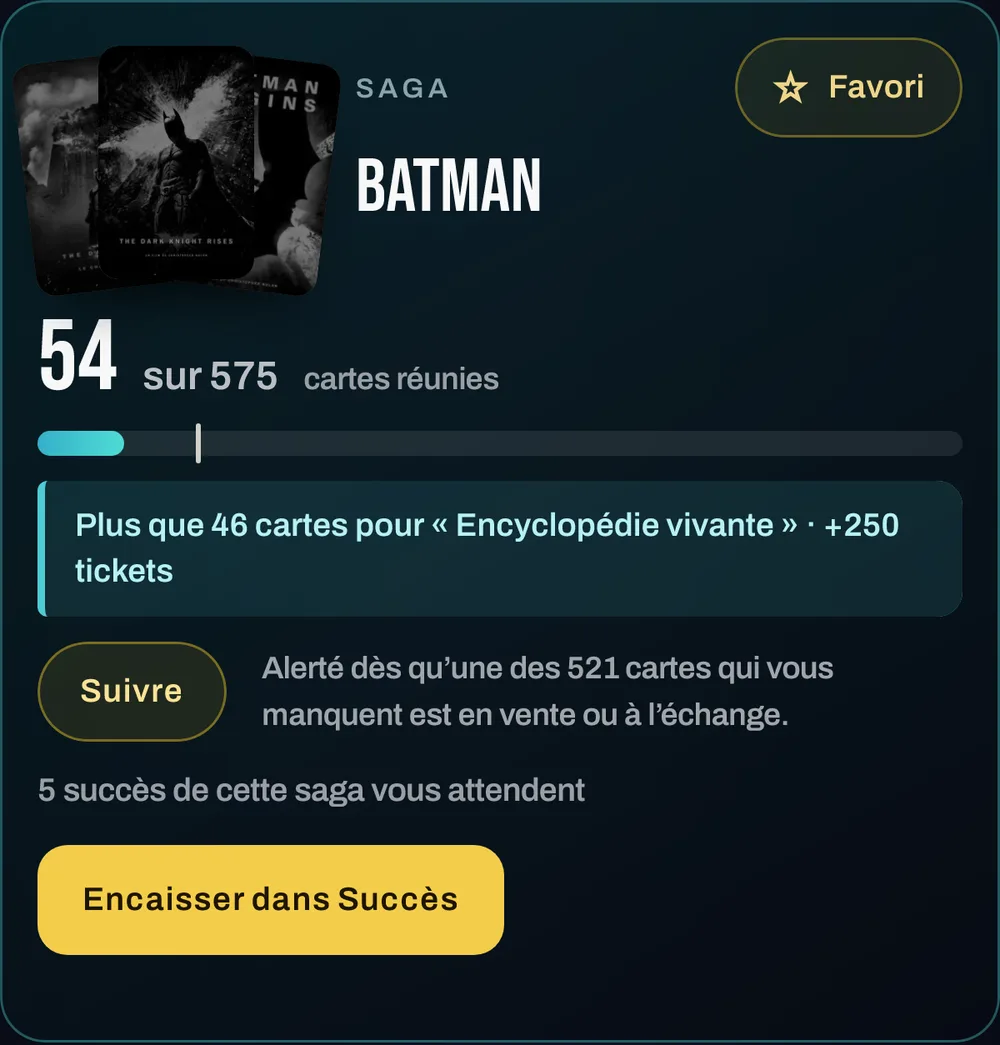
Favourite and search at the top of the album
The star at the top right, “Look for them” or “Follow” just under the progress bar.
- NewAlbums
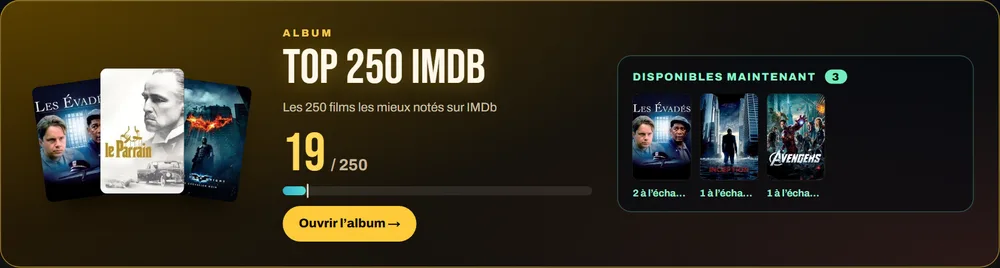
The Top 250 shows what you can get
On large screens, the banner shows the cards you’re missing that a player is selling or offering for trade.
Clearer2
- ChangedProfile
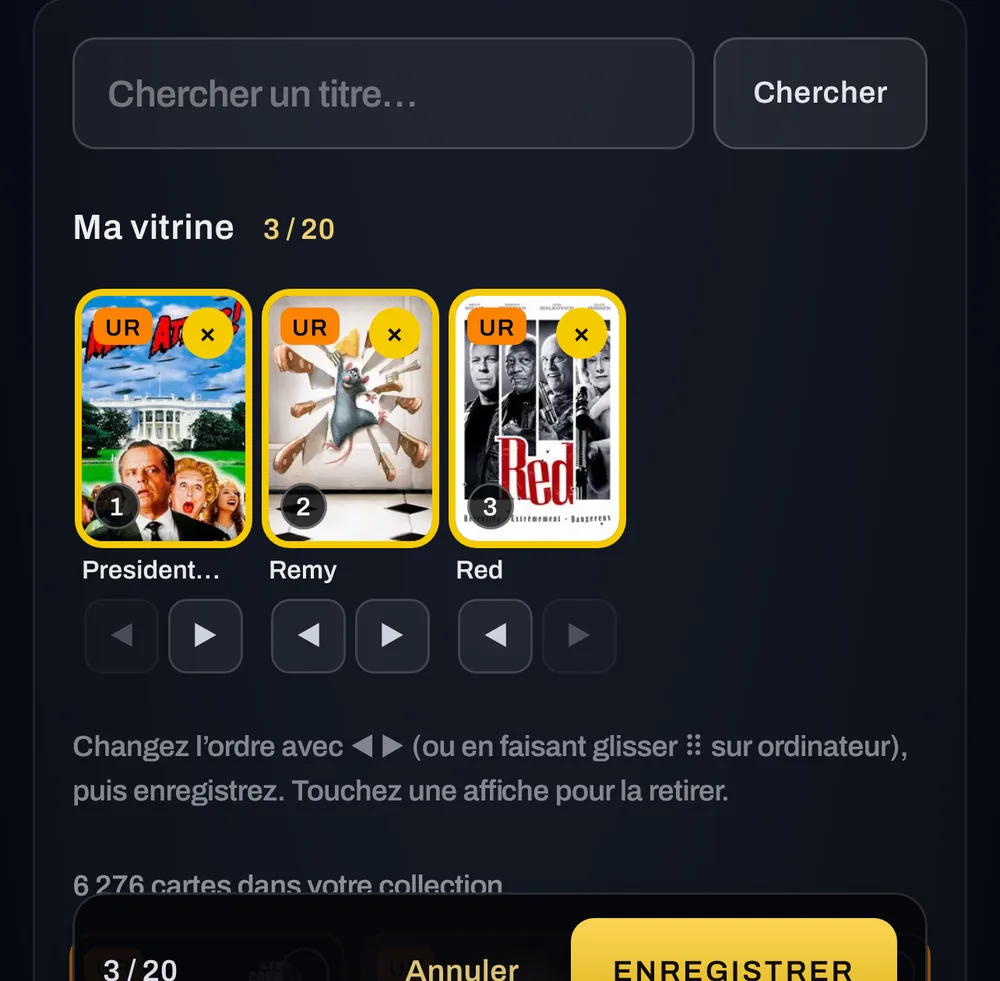
Reorder your showcase
◀ ▶ under each card (and drag ⠿ on a computer): change the order without removing everything.
- ChangedComputer
The same width everywhere
All card pages share the collection’s width: moving between pages no longer shifts anything.